
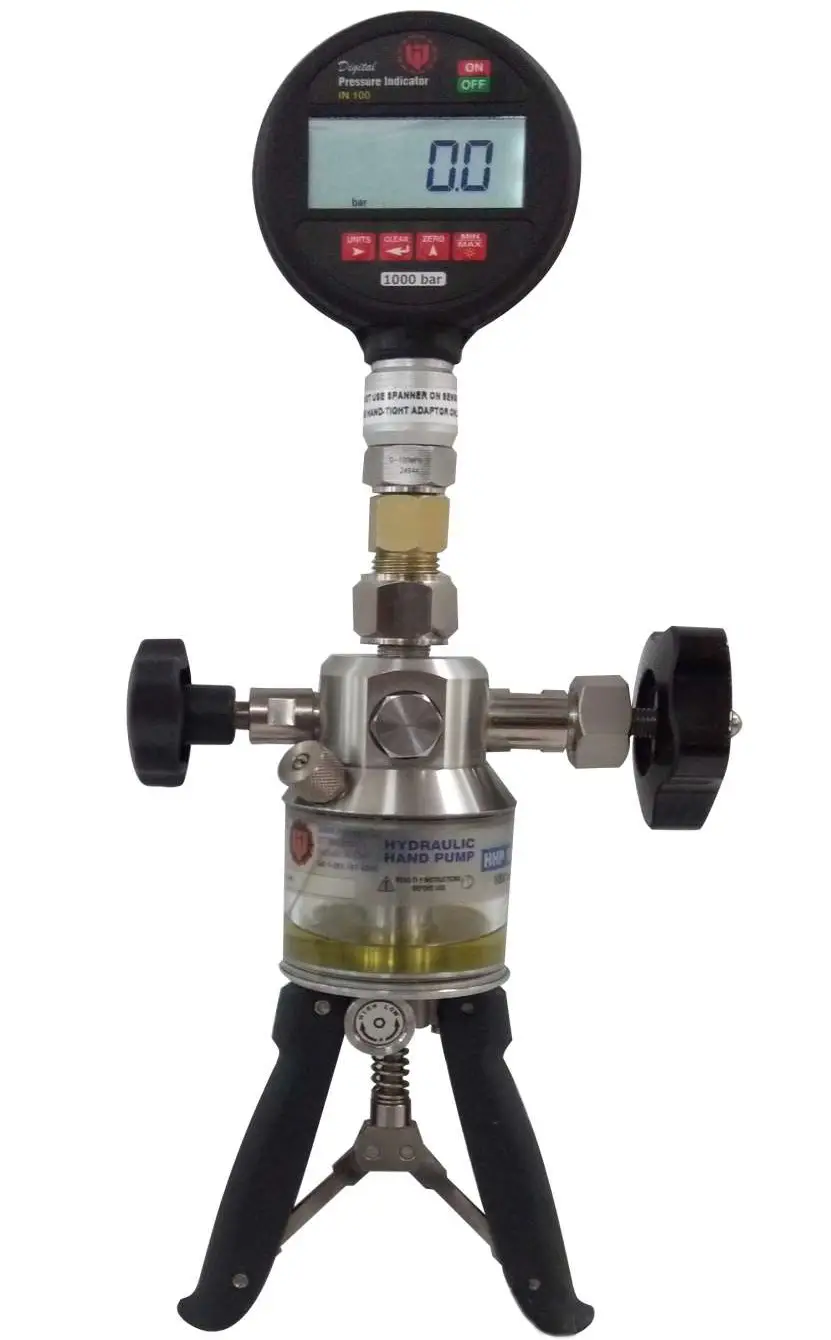
Pressure Calibrator IN 100 ( 1000BAR)
Introduction
IN 100 combines the high accuracy of digital electronics with the convenience and ease of use of pressure gauge. With accuracy of ±0.1%FS, the IN 100 can be used as a calibration reference, or in applications where high accuracy pressure measurement is required.
Many functions have been designed in to the IN 100 including ZERO and MIN/MAX. The different ranges of indicators are available in IN 100 model. In Pneumatic Indicators, there have the ranges of 1bar, 2bar, 40 bar, 60 bar and between ranges also. The ranges of hydraulic indicators are 70 bar, 200 bar, 350 bar, 700 bar, 1000 bar and etc.
Display and Controls
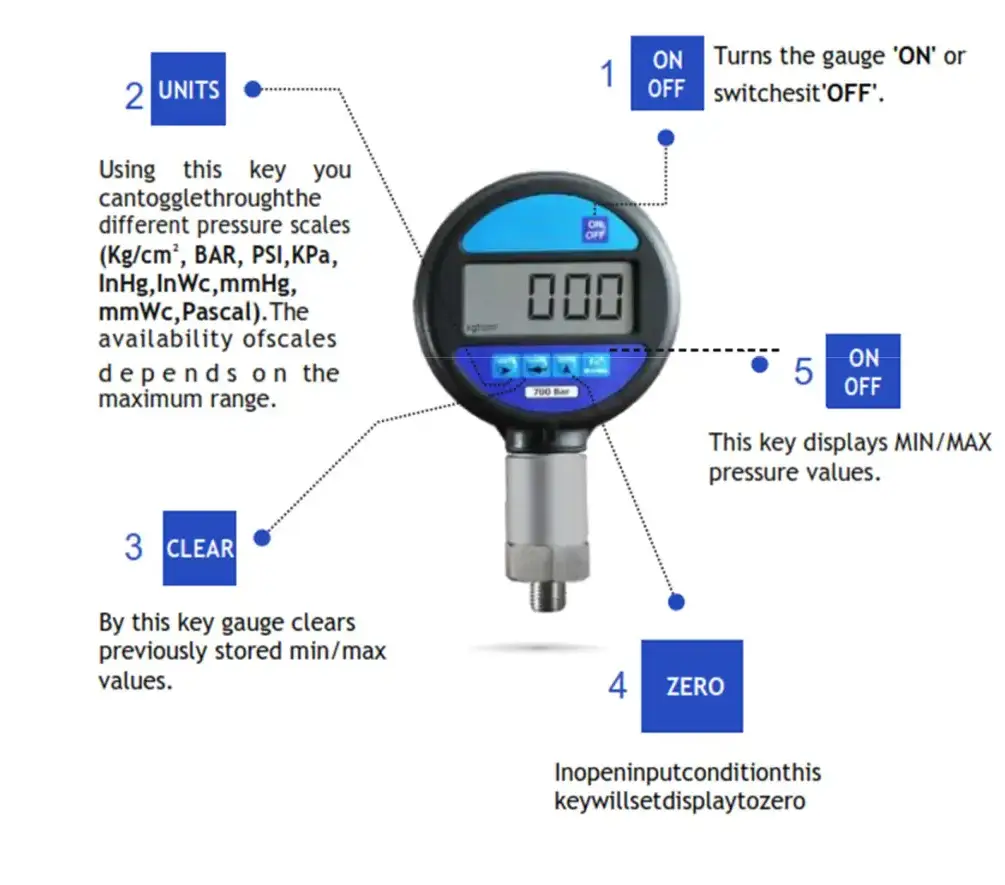
| Display | 7 segment 5 full digit high contrast customized LCD display |
| Accuracy | +-0.1%FS |
| Power | 7.5 VDC internal alkaline battery AA size (5X1.5) Pre installed. Battery Life 600 hours. |
| Low Battery | Indicator is displayed near the end of battery life |
| Over Pressure Protection | 125 % of specified range |
| Types of Pressure & Media Compatibility | Gauge, Absolute and Compound Non corrosive dry gases or liquid compatible with SS316 stainless steel |
| Available Standard Engineering Units | kg/cm2,bar,psi,kPa,inHg,inWc, mmHg, mmWc, mbar, Pascal Refer resolution table for further details |
| Environmental | Storage : 20°C to + 70°C Operating : 25°C to + 45°C |
| Pressure Connection | ¼ “ BSP Male (Other on request) |
| Housing | Plastic Moulded Box 91mm (dia) x 34mm(d) |
Operation
System 1 (Pneumatic)
Use of indicator with hand held Hydraulic pressure pump
Range: –0 to 70 Bar Hydraulic/ 0 to 200 Bar Hydraulic /0 to 350 Bar Hydraulic /0 to 700 Bar Hydraulic/ 0 to 1000 Bar Hydraulic
Warning: Do not connect indicator to high-pressure source. Follow the instructions carefully to avoid damage to the indicator and/or personal injuries.
Hand held vacuum /pressure pump, which contain two air outlets. One is hose adaptor for connect the pressure calibrator and other hose fitting for connecting the test gauge.
1. Switch ON the indicator.
2. Before setting the zero-adjustment, ensure that the vent valve is open.
3. Close the vent valve gently by hand.
4. Generate pressure by using pair of handles which is assembled with pump.
5. The output pressure can be adjusted with the vernier-adjuster for a precise pressure/vacuum adjustment.
6. Record and compare the digital pressure gauge (master) reading and test gauge reading for calibration of the test gauge.
7. Completely release the pressure, twist off the vent-valve gradually when finishing the calibration.
8. Check that the oil level in the pump is of 2/3 of the reservoir.
9. Continue the priming of the pump until the air bubbles in the reservoir stops.
10. After calibration, Release the pressure by opening needle valve. Remove all parts, replace plugs and clean it before storing in a carrying case.
Note: Hand pump to be chosen according to the range of the indicator. Also the working of hand pumps are given below.
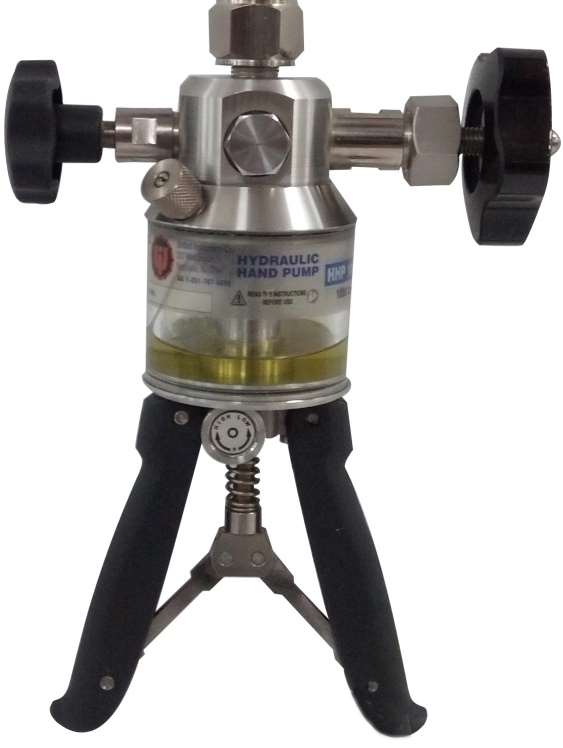
Pneumatic Hand Pump: (Range: 0 to 70 / 0 to 200 /0 to 350 /0 to 700 / 0 to 1000 Bar)
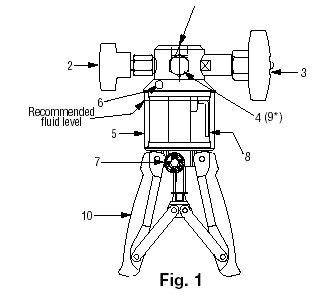
IDENTIFICATION OF PARTS:
1. Connection for ¼” BSP male adapter to master instrument. E.g. Digital/Analog indicators.
2. Pressure release valve.
3. Fine control.
4. Front port: 1/4” BSP female.
5. Reservoir.
6. Reservoir filling plug/Safety valve
7. Low / High pressure selector.
8. Fluid inlet tube.
9. Rear port: ¼” BSP female reserved for valve pressure relief. (Do not open)
10. Pump Handles.
1.Remove reservoir filling plug (6) and fill reservoir (5) with the oil/water up to the marked level and replace plug.
2. Turn Pressure Release Valve (2) to 2 or 3 turns in clockwise direction.
3. Turn Fine Control (3) to ‘mid-position’ in anti-clockwise direction.
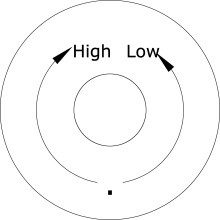
4. Fully Squeeze handles (10) in and turn Low/High pressure selector (7) to Low position. The following figure shows the selector in Low position
5. Connect the master instrument to pump through connection (1) using the appropriate seals and adaptors.
6. Connect the test instrument to flexible hose/gauge adapter and attach to pump through the quick-fit connection (4).
7. Turn pressure release valve fully in anti-clockwise direction.
8. Squeeze the handles to generate approximate pressure.
9. Stop squeezing the handles when the pressure reaches 150-200bar.
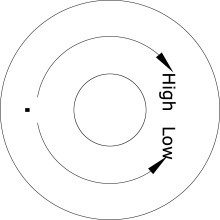
10. Fully Squeeze handles ‘in’ and turn Low/High pressure selector (7) to High position. The following figure shows the selector in High position
11. Generate pressure from 200 to 400 bar. (In HHP 1000, Generate pressure from 200- 600bar in High position)
12. Generate the remaining pressure using fine control by turning it in clock-wise direction.
13. Release the pressure using the fine control by turning it in ant-clockwise direction and then use the pressure release valve by turning one turn in clockwise direction.
Additional Features
The instrument is having unique feature, were customer can change the resolution and Damping parameter
Steps:
- Switch ON the instrument and immediately press unit key.
- The instrument will blink ones with “res” and the default maximum value of pressure in Kg/cm2 will be start blinking.
- Change the resolution as per requirement using unit key.
- And press CLEAR key.
- Instrument will blink ones with “damp” and the default value will be displayed.
- Change the value using unit key and press CLR key.
The instrument is having backlight, to switch it long press and hold the FNS key for approx. 5 sec.